Tag

Brain reset

Browsing

Dopamine Fast

Do you find yourself scrolling through TikTok while the TV is on? Do you feel an urgent need to check your phone the second you hit a “boring” moment in line at the grocery store?

If so, your brain’s reward system might be “redlined.”

At LogOffly, we’re seeing a massive rise in Digital Overstimulation. Our world is designed to flood our brains with dopamine—the “seeking” chemical—through likes, pings, infinite scrolls, and high-speed entertainment. The result? We lose our ability to enjoy simple, slow pleasures.

open book beside white ceramic teacup on saucer

What is Dopamine Fasting (and what is it NOT)?

First, let’s clear up a myth: You cannot literally “fast” from dopamine. It’s a neurotransmitter your body needs to function.

Dopamine Fasting is actually about stimulus control. It’s a period of time where you intentionally avoid “high-arousal” triggers—like social media, gaming, and junk food—to allow your brain’s receptors to become more sensitive again. It’s a “factory reset” for your focus.

The Signs You Need a Reset

The Reward Loop: You feel anxious when you aren’t consuming content.

The “Numb” Effect: Things that used to be fun (like reading a book or going for a walk) now feel incredibly boring.

Constant Distraction: You can’t focus on a single task for more than five minutes without a “hit” of something else.

The Essential Tool for a Successful Fast

The hardest part of a dopamine reset isn’t the lack of stimulation; it’s the impulse to reach for your phone during the “quiet” moments. To succeed, you need to replace the digital fidget with a physical, calming activity.

Our Top Recommendation: The Shashibo Shape-Shifting Magnetic Fidget Box

When you remove the high-dopamine hits of a smartphone, your hands will feel “restless.” The Shashibo Box is the perfect tool for a dopamine fast. It is an award-winning, magnetic puzzle box that transforms into over 70 shapes.

  • Why it works: It provides a “low-arousal” tactile experience. Unlike a screen, it doesn’t shout for your attention. It encourages “Deep Play” and spatial reasoning, helping your brain transition from consuming to creating.
  • The Result: It keeps your hands busy during “gap moments” (like waiting for coffee or sitting on the train) without triggering a dopamine spike.

Note: Supporting LogOffly via our links helps us stay dedicated to science-backed digital wellness!

How to Do a Realistic Dopamine Fast

You don’t need to sit in a dark room for 24 hours. Try this LogOffly “Tiered” Approach:

  1. Level 1: The Daily “Golden Hour”: No screens for the first hour after you wake up and the last hour before you sleep.
  2. Level 2: The “Sabbath” (24 Hours): Once a week, go 24 hours without social media, YouTube, or Netflix. Focus on reading, cooking, and walking.
  3. Level 3: The Radical Reset (Weekend): A full 48-hour “Analog Only” weekend. No internet, no processed sugar, no gaming.

What to Expect

Initially, you will feel boredom—and that’s a good thing! Boredom is the “cleansing agent” of the mind. On the other side of that boredom is a newfound ability to focus, a lower level of anxiety, and a deeper appreciation for the real world.

The Question

The Question: What is the one “digital habit” you feel most addicted to? Could you survive 24 hours without it this weekend?
Notification Fast

We’ve become Pavlov’s dogs. Every time our pocket buzzes with a “like,” a news alert, or a promotional email, we reflexively reach out. We think we’re staying “informed,” but in reality, we’re suffering from Continuous Partial Attention.

At LogOffly, we believe the fastest way to lower your cortisol and regain your focus is a radical intervention. We call it the 30-Day Notification Fast.

The rules are simple: For the next month, you turn off every single push notification on your phone, with only two exceptions: Phone Calls and Text Messages (SMS/WhatsApp) from actual humans.

a woman holding a cell phone in her hand

Why 30 Days?

It takes roughly 21 to 66 days to prune old neural pathways and build new ones.

Week 1 (The Withdrawal): You will feel “phantom vibrations.” You’ll check your phone constantly, fearing you’ve missed something.

Week 2 (The Calm): The phantom pings fade. You start to notice the world around you more. Your “input anxiety” begins to drop.

Week 3 & 4 (The Mastery): You realize that 99% of what you thought was “urgent” was actually just “noise.” You start opening apps when you want to, not when they command you to.

What Stays and What Goes?

❌ THE NOISE (Turn OFF): Social media likes/comments, News alerts, Email pings, Game invites, Shopping “deals,” and YouTube “New Video” alerts.

✅ THE ESSENTIALS (Stay ON): Direct phone calls and direct messages from friends/family/colleagues.

The Secret Weapon for a Successful Fast

The hardest part of a Notification Fast is the temptation to “just check” the apps manually. If you find yourself mindlessly opening Instagram just because you haven’t seen a notification in an hour, you need to create a physical barrier.

Our Top Recommendation: The kSafe Mini (Kitchen Safe) Locking Container

If you want to ensure your “Fast” actually sticks—especially during “Deep Work” hours or family time—the kSafe Mini is a life-saver. It’s a high-quality, BPA-free container with a giant timer on the lid. You put your phone in, rotate the dial, and lock it away for anywhere from 1 minute to 10 days.

  • Why it works: It removes the need for willpower. When your phone is physically inaccessible, the “urge to check” disappears within minutes, allowing your brain to enter a state of deep relaxation or focus.
  • The Result: You’ll find yourself finishing books, having deeper conversations, and finally sleeping without that “blue light” temptation.

Note: Supporting LogOffly through our affiliate links keeps us ad-free and focused on your digital freedom!

How to Prepare for the Fast

Before you flip the switches, do these three things:

  1. Tell Your Inner Circle: Let your close friends and family know: “I’m doing a 30-day digital fast. If you need me urgently, call me. Otherwise, I’ll reply when I check my messages later today.”
  2. Clean Your Home Screen: Move your “temptation apps” (Social media, News) off your first screen and into folders.
  3. Set Your “Check-In” Times: Decide on two times a day (e.g., 12:00 PM and 5:00 PM) when you will manually open your apps to see what you missed.

Are You Ready?

The world won’t end if you don’t know that someone liked your photo within three seconds. But your peace of mind might just begin.

The Question

The Question: Which specific app on your phone is the “loudest” (sends the most notifications)? How would your day change if that app suddenly went silent?


Grayscale

Have you ever wondered why app icons are so bright? Why Instagram is a sunset gradient, why Netflix is bold red, and why notifications are a glowing crimson?

It’s called “Dopamine Dressing.” Tech companies spend millions on color psychology to ensure their interfaces are as stimulating as a bowl of candy. These vibrant colors trigger the reward centers in your brain, making every unlock feel like a mini-celebration.

At LogOffly, we have a simple, radical hack to break this spell: The Grayscale Challenge.

grayscale photo of person using MacBook

The Science: Why Black and White Works

Our brains are hardwired to respond to bright colors—they signal “important” information (like ripe fruit or a dangerous predator). When you turn your phone to grayscale, you effectively strip the “reward” out of the experience.

Suddenly, Instagram looks like a dusty newspaper. TikTok loses its luster. Your home screen becomes a tool rather than a toy. By removing the color, you reduce the biological pull of the screen, allowing your prefrontal cortex (the logical part of your brain) to take back control from your dopamine-seeking impulses.

How to Enable Grayscale (The 10-Second Hack)

On Android: Go to Settings > Digital Wellbeing & Parental Controls > Bedtime Mode (or search your settings for “Grayscale” or “Color Correction”).

On iPhone: Go to Settings > Accessibility > Display & Text Size > Color Filters. Toggle “Color Filters” ON and select “Grayscale.”

Enhance Your Focus: The Ultimate Analog Companion

The goal of the Grayscale Challenge is to make your digital world less attractive so your physical world becomes more interesting. To succeed, you need to replace the “scrolling habit” with a “doing habit.”

Our Top Recommendation: The “One Line a Day” Five-Year Memory Book

When you drain the color from your phone, you’ll suddenly find yourself with “pockets” of time you didn’t know you had. Instead of reaching for a gray screen, reach for this beautiful, tactile journal.

  • Why it works: It requires only a minute of your time, making it the perfect low-friction replacement for “just checking” your phone.
  • The Result: Over five years, you create a colorful, physical record of your life that provides more genuine satisfaction than a thousand “likes” ever could.

Note: Your support through our affiliate links helps LogOffly stay ad-free and focused on wellness!

The 24-Hour Challenge

We challenge you to keep your phone in Grayscale for 24 hours straight.

Notice how often you pick up your phone, look at the gray screen, and immediately put it back down because there is “nothing to see.” That feeling of slight disappointment? That is the sound of your dopamine loops breaking.

The Question

The Question: After 24 hours of Grayscale, what was the first thing you noticed about your environment that you hadn’t seen in a while?


Notification Fatigue

Have you ever felt a tiny spike of anxiety just by looking at your phone’s home screen? Those little red circles—the “badges”—are not just harmless counters. They are psychological triggers designed to exploit your brain’s “urgency” system.

At LogOffly, we see Notification Fatigue as the leading cause of modern burnout. When your phone pings, your brain releases a small dose of cortisol, the stress hormone. Over dozens of notifications a day, you aren’t just “staying informed”; you are keeping your nervous system in a state of perpetual “fight or flight.”

It’s time to take your focus back. It’s time to silence the noise.

selective focus photography of person using smartphone

The Science of the “Red Badge”

Designers use red for notifications because it is the most attention-grabbing color in the human spectrum. In nature, red signifies fruit, blood, or fire—things that require immediate attention.

When you see a red “3” on your mail app, your brain treats it as an unfinished task that must be resolved. This creates Cognitive Itch—a mental discomfort that only goes away once you click the app. By the time you’ve cleared the badge, you’ve likely been sucked into a 15-minute scroll you never intended to start.

Essential vs. Noise: The Notification Audit

Not all pings are equal. To reclaim your calm, you must categorize your alerts:

  • The Essentials: These are “Human-to-Human” interruptions. Direct calls, text messages from family, or calendar alerts for meetings.
  • The Noise: These are “Machine-to-Human” interruptions. Newsletter alerts, “Someone liked your photo,” news breaking, and discount codes.

The LogOffly Rule: If it’s not a human trying to reach you in real-time, it doesn’t deserve a push notification.

Reclaim Your Focus: The Physical Silent Mode

Sometimes, software settings aren’t enough. Our brains are so conditioned to look at our phones that even a silent device on a desk can reduce our cognitive capacity. To truly beat notification fatigue, you need to hide the source of the stress.

Our Top Recommendation: The Mindsight Phone Prison / Lock Box

If you find yourself reflexively reaching for your phone every time you think you heard a “ghost ping,” the Mindsight Phone Lock Box is your best ally. It’s a simple, portable locker with a timer that allows you to lock your phone away for 15 minutes to 12 hours.

  • Why it works: It removes the “micro-decisions” of whether or not to check a notification. Once it’s locked, the decision is made for you.
  • The Result: You’ll feel the “phantom vibrations” fade away, allowing your cortisol levels to drop and your deep focus to return.

Note: By purchasing through our links, you support LogOffly’s mission to help the world find digital balance!

3 Steps to a Silent Phone

Ready to detox? Do this right now:

  1. Kill the Badges: Go to Settings > Notifications and turn off “Badges” for every app except your Phone and Calendar.
  2. The “Direct Only” Rule: Turn off all notifications for social media apps. If you want to see who liked your photo, do it when you choose to open the app.
  3. Schedule “Do Not Disturb”: Set your phone to automatically enter Do Not Disturb mode from 9:00 PM to 8:00 AM.

Protecting your attention is the highest form of self-care in the digital age. Your time is yours; don’t let a red dot tell you otherwise.

The Question

The Question: How many apps on your phone currently have a red notification badge? If you turned them all off right now, what is the worst thing that would actually happen?


Digital Amnesia

When was the last time you memorized a phone number? Or navigated a new city without a GPS? Or felt the need to remember a historical date, knowing that the answer was only three clicks away?

At LogOffly, we are fascinated by how technology reshapes our biology. One of the most significant shifts is a phenomenon known as Digital Amnesia—the tendency of our brains to forget information that can be easily found online.

As we outsource our memories to our smartphones, we have to ask: Is our general knowledge shrinking because we’ve made Google our external hard drive?

man wearing white top using MacBook

The “Google Effect” and Cognitive Offloading

Psychologists call this “Cognitive Offloading.” When our brains know that information is stored externally (in a cloud, a spreadsheet, or a search engine), they intentionally decide not to store that information in our long-term memory.

A famous study published in Science found that people were less likely to remember what a piece of information was, but were highly likely to remember where they could find it again. We aren’t learning facts anymore; we are learning file paths.

Why This Matters for Your Brain

You might think, “Why does it matter if I don’t remember facts as long as I can find them?” But memory is the foundation of critical thinking.

  • Connection Building: To be creative and solve complex problems, your brain needs a “database” of internal knowledge to make connections. You can’t connect the dots if your brain is empty.
  • Brain Plasticity: Like a muscle, your memory needs exercise. If we stop memorizing, we stop strengthening the neural pathways responsible for retention.
  • Contextual Understanding: Knowing about a topic is different from knowing where to find it. True wisdom requires an internalized understanding of the world.

Reclaim Your Focus: The Power of Paper

If you want to fight Digital Amnesia, you need to start “onboarding” information again. Research consistently shows that we remember information much better when we write it down by hand compared to typing it. Hand-writing engages more areas of the brain, creating a stronger “memory trace.”

Our Top Recommendation: The Rocketbook Core Reusable Smart Notebook

The Rocketbook Core is the perfect bridge for the digital minimalist. It gives you the tactile, memory-boosting experience of writing on paper with a real pen, but allows you to scan and send your notes to the cloud if you need a digital backup.

  • How it helps: By writing your thoughts, meeting notes, or daily goals by hand, you improve your focus and retention.
  • Sustainable: You can wipe the pages clean with a damp cloth and use it forever.
  • Intentional: It encourages you to slow down and process information rather than just mindlessly “copy-pasting.”

(Note: As an Amazon Associate, LogOffly earns from qualifying purchases. This supports our research into digital wellbeing!)

Exercising Your “Memory Muscle”

To live LogOffly is to trust your own mind again. Try to memorize your grocery list today. Try to find your way to a meeting without opening Maps. Give your brain the chance to work, and you’ll find that your focus and mental clarity return in a way that no search engine can provide.

The Question

The Question: If the internet went down for 24 hours, how much of your daily life—your schedule, your contacts, your knowledge—would you still have access to?


Digital Distraction

Every time you pull your phone out of your pocket and swipe down to refresh your feed, you aren’t just “checking the news.” You are pulling the lever of a high-tech slot machine.

At LogOffly, we often wonder why it’s so hard to put our devices down. The answer isn’t a lack of willpower; it’s that your apps were intentionally designed by thousands of engineers to be as addictive as a casino floor.

person holding white samsung android smartphone

The Science of “Variable Rewards”

In the 1950s, psychologist B.F. Skinner discovered something startling: a lab rat would press a lever much more frequently if the reward (food) was unpredictable. This is known as a Variable Ratio Schedule of Reinforcement.

Social media apps use this exact mechanism. You don’t get a “hit” every time you scroll. Sometimes you see a boring ad; other times, you see a heartwarming photo or a controversial comment. That uncertainty is what keeps you scrolling. Your brain is chasing the “jackpot” of a like, a tag, or a viral post.

Persuasive Design: The Invisible Hooks

Casinos use flashing lights and ringing bells to keep you “in the zone.” Your phone uses:

  • Red Notification Badges: Red is a “danger” or “alert” color in nature, making it nearly impossible to ignore.
  • The “Pull-to-Refresh” Gesture: This mimicry of a slot machine lever creates a physical habit loop.
  • Infinite Scroll: By removing the “bottom” of the page, designers remove the “stopping cue” that tells your brain it’s time to do something else.

The Cost to Your Brain

This constant stimulation keeps your brain in a state of high dopamine arousal. Over time, this raises your “baseline” for excitement, making real-life activities—like reading a book or having a quiet conversation—feel dull and boring by comparison.

The LogOffly Solution: Create a Physical Barrier

If you want to win against the “Las Vegas” in your pocket, you need more than just good intentions. You need a physical boundary.

Our Top Recommendation: The Mindsight (Kitchen Safe) Time-Locking Container

One of the most effective ways to break the “slot machine” habit is to remove the temptation entirely. The Mindsight timed lockbox is a high-quality, BPA-free container with a digital timer. You place your phone inside, set the timer (from 1 minute to 10 days), and it will not open until the time is up.

It is the perfect tool for:

  • Family dinners where everyone stays present.
  • Deep Work sessions without notification anxiety.
  • Bedtime rituals to ensure a screen-free sleep.

Buy Now (Note: This is an affiliate link; LogOffly earns a small commission at no extra cost to you, helping us keep the lights on!)

Reclaiming Your Brain

Recognizing that your phone is designed to be addictive is the first step toward freedom. You aren’t “weak” for struggling to put it down; you are simply up against the most sophisticated psychological engineering in history. By using tools like the Mindsight and practicing intentionality, you can take the “luck” out of your focus and regain control.

The Question

The Question: If you look at your screen time right now, how many times did you “pull the lever” (unlock your phone) today? Is that number a conscious choice, or a habit?


Sleep Hygiene

We’ve all done it. You’re lying in bed, the lights are off, but your face is illuminated by the cold, blue glow of your smartphone. You tell yourself it’s just for “five more minutes,” but an hour later, your mind is racing, and sleep feels miles away.

At LogOffly, we believe the bedroom should be a sanctuary—a place for rest, recovery, and connection. Yet, for most of us, it has become a high-tech hub that sabotages our sleep and dictates our morning mood.

It’s time for a change. It’s time to banish the gadgets and rediscover the power of a “dark” bedroom.

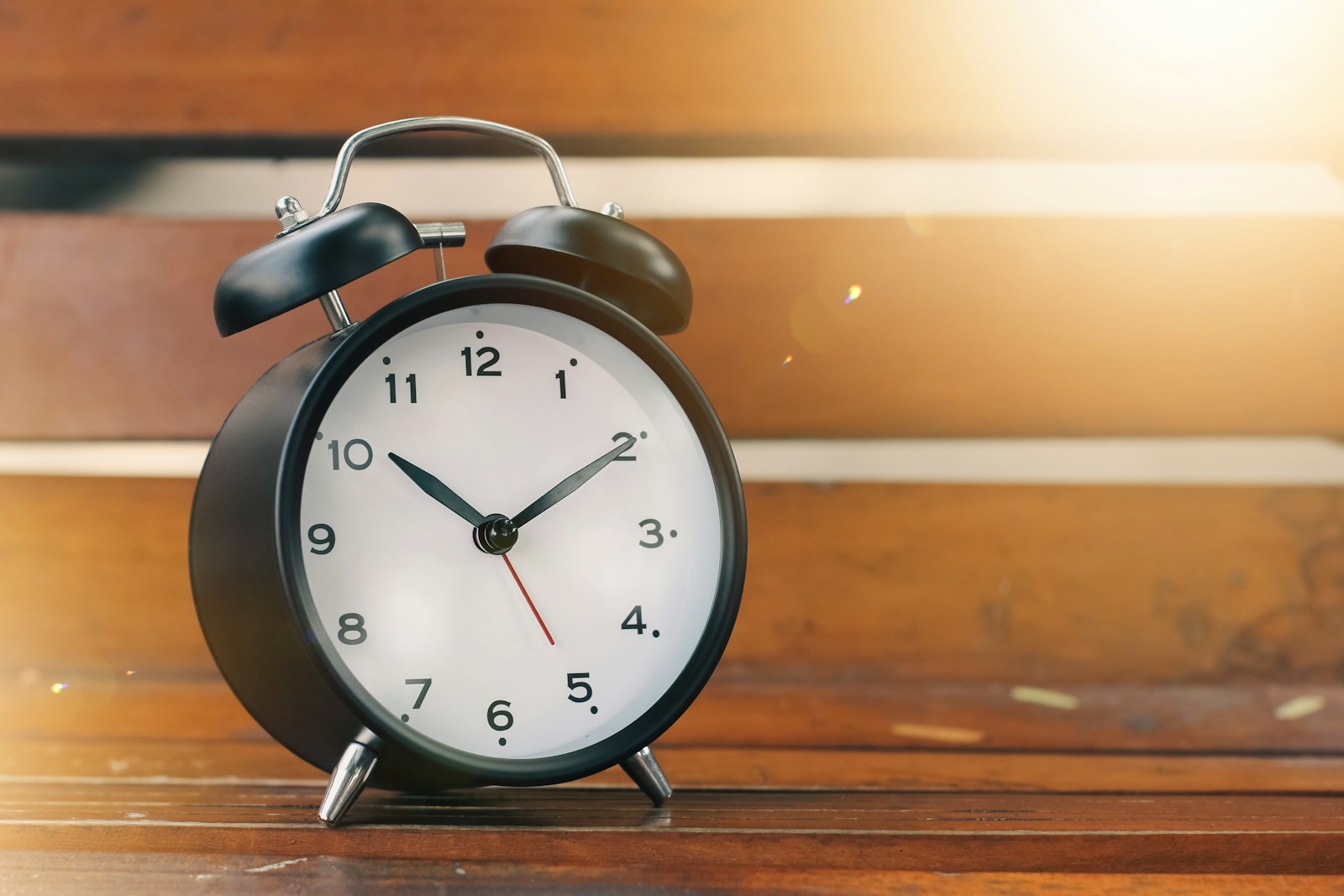
an alarm clock sitting on top of a wooden table

The Science of the “Blue Light Blues”

Our bodies operate on a 24-hour internal clock called the circadian rhythm. As the sun goes down, our brain produces melatonin, the hormone that signals it’s time to sleep.

The problem? Your smartphone emits blue light, which mimics daylight. When you scroll in bed, you are effectively telling your brain that the sun is still up. This suppresses melatonin production, making it harder to fall asleep and significantly reducing the quality of your REM cycles. You might sleep for eight hours, but because of that late-night scroll, you wake up feeling unrefreshed..

The Morning Trap: Reactive vs. Proactive

It’s not just about how you go to sleep; it’s about how you wake up. For many, the first act of the day is reaching for the phone to check emails, news, or social media.

This puts your brain into a reactive state. Before you’ve even stepped out of bed, you are responding to other people’s agendas, global crises, and social comparisons. You are letting the digital world hijack your morning.

By replacing your phone with a traditional analog alarm clock, you regain control. You create a “buffer zone” where your first thoughts are your own—allowing you to start your day proactively rather than defensively.

The LogOffly Sleep Challenge

If multitasking is the pAre you ready to reclaim your nights? Here is your 3-step challenge:

Charge Outside the Room: Create a charging station in the kitchen or hallway. If your phone isn’t within arm’s reach, you won’t reach for it.

Buy an Analog Alarm Clock: Remove the “I need my phone for the alarm” excuse.

The 30/30 Rule: No screens 30 minutes before bed, and no screens for the first 30 minutes after waking up.

Better Sleep, Better Life

When you prioritize sleep hygiene, you’ll notice an immediate shift. You’ll fall asleep faster, wake up with more clarity, and find that your “digital cravings” decrease throughout the day.

The Question

The Question: What is the very first thing you think about when you wake up? Is it a thought of your own, or is it a response to something you saw on your screen?


Multitasking

We’ve all been there: typing an email while listening to a podcast, with fourteen browser tabs open and a smartphone buzzing at our elbow. We call this “multitasking,” and we often wear it as a badge of productivity.

But science has a different name for it: The Multitasking Myth. The uncomfortable truth is that the human brain is physically incapable of doing two cognitively demanding things at once. What we are actually doing is Task-Switching—and it is costing us more than we realize.

MacBook Pro, white ceramic mug,and black smartphone on table

Your Brain on “Task-Switching”

When you think you are multitasking, your brain is actually jumping back and forth between tasks with lightning speed. Every time you switch, your brain has to “load” the rules and context for the new task.

This constant toggling comes with a heavy price tag known as Switching Cost. Research shows that multitasking doesn’t just make you slower; it can temporarily lower your IQ by up to 10 points—a drop similar to the effect of losing a full night’s sleep.

The Hidden Dangers of “Doing It All”

Beyond making us less intelligent in the moment, chronic multitasking leads to:

  • Mental Exhaustion: Your brain uses up glucose (its primary fuel) much faster when switching tasks, leading to that “fried” feeling by 3:00 PM.
  • Increased Error Rates: Studies suggest that multitasking can increase the time it takes to finish a task by 40% and leads to significantly more mistakes.
  • The Death of Flow: You cannot reach a “Flow State”—that peak level of performance—if your attention is being hijacked every few minutes.

The Solution: The Power of Singletasking

If multitasking is the problem, Singletasking is the superpower. It is the intentional practice of doing one thing at a time, with your full attention, until it is complete (or until a scheduled break).

How to start Singletasking today:

  1. Close the Tabs: Keep only the browser tabs open that are relevant to your current task. If you aren’t using it, close it.
  2. The “Phone-Away” Rule: Place your phone in a drawer or another room during deep work blocks. Even seeing the device creates a “cognitive pull.”
  3. Monotasking Intervals: Use the Pomodoro technique (25 minutes of focus, 5 minutes of rest). During those 25 minutes, commit to one task only.

By embracing the slow, focused pace of singletasking, you aren’t just getting more work done—you are protecting your mental energy and reclaiming your peace of mind.

The Question

The Question: Think back to your most productive hour this week. Were you juggling multiple tabs and devices, or were you immersed in just one thing?


FOMO

We’ve all felt it. That sharp, anxious tug in the pit of your stomach when you see photos of a party you didn’t attend, or a “breaking news” alert about a topic everyone is suddenly discussing.

This is FOMO (Fear of Missing Out). It is a byproduct of the digital age—a constant, nagging feeling that somewhere, someone is having a better time, making more money, or staying more “informed” than you.

But what if we flipped the script? What if, instead of fearing what we miss, we started celebrating it? Welcome to the world of JOMO: The Joy of Missing Out.

man sitting on armchair near table with opened coconut

What is JOMO?

JOMO is the emotionally intelligent antidote to FOMO. It is the brave, intentional act of saying “no” to the digital noise so you can say “yes” to yourself. JOMO isn’t about being antisocial or out of the loop; it’s about choosing depth over breath.

When you embrace JOMO, you stop trying to keep up with the infinite scroll and start focusing on the finite, beautiful things right in front of you.

Why JOMO is Essential for Your Mental Health

Not all Our brains were never designed to process the lives of 500 “friends” and the world’s tragedies simultaneously 24/7. This constant stream of information leads to decision fatigue and “comparison trap” anxiety.

Choosing JOMO allows you to:

Deepen Real Connections: You trade 100 shallow digital interactions for one meaningful, face-to-face conversation.

Reclaim Your Time: Every “no” to a pointless notification is a “yes” to a hobby, a book, or a rest.

Boost Mental Clarity: Without the constant comparison, you can actually hear your own thoughts.

How to Practice the Art of Missing Out

Transitioning to JOMO doesn’t happen overnight. It requires a shift in habits:

  1. Curate Your Inputs: Unfollow accounts that make you feel “less than.” Your feed should inspire you, not drain you.
  2. Practice “Selective Ignorance”: You don’t need to have an opinion on every trending topic. It is okay—and actually healthy—not to know what happened on Twitter this morning.
  3. Find Joy in the Analog: Trade your evening scroll for a ritual that doesn’t involve a screen. Cook a meal, go for a walk, or simply sit in silence.

The Power of Being “In the Dark”

There is a profound peace in realizing that the world keeps turning even when you aren’t watching it through a 6-inch screen. JOMO is the ultimate form of self-care because it proves that you are enough, exactly where you are, without needing to see what everyone else is doing.

The Question

The Question: Think of the last time you intentionally stayed away from social media for a day. What is one thing you “missed” that you were actually glad you didn’t have to deal with?


Digital Minimalism

We spend hours every year tidying our physical homes. We organize our closets, donate old clothes, and clear our desks to find mental clarity. But what about the “home” we carry in our pockets?

Most of us are living in a state of digital clutter. Our phones are packed with apps we don’t use, notifications we don’t need, and icons that trigger subconscious stress the moment we unlock our screens.

If you want to reclaim your focus, it’s time to apply the Marie Kondo method to your digital life. It’s time for the LogOffly Digital Minimalism Challenge.

person writing on a book

Step 1: The Great App Audit

The first step isn’t about deleting everything; it’s about evaluation. Go through every single app on your phone and ask yourself one simple question:

“Does this app serve a vital purpose or bring me genuine joy?”

If the answer is “It just kills time,” “I might need it one day,” or “It makes me feel anxious,” it’s a candidate for deletion. Be ruthless. If you haven’t opened it in the last 30 days, you likely don’t need it.

Step 2: Identify the Energy Vampires

Not all apps are created equal. Some are tools (Maps, Banking, Utilities), while others are vampires (infinite-scroll Social Media, News alerts, addictive Games).

  • Tools work for you.
  • Vampires make you work for them.

Try moving your “Energy Vampires” off your home screen and into folders, or better yet, delete the app and access them only via your mobile browser. This small friction creates a “speed bump” that stops mindless scrolling.

Step 3: Curate Your “Quiet” Home Screen

A minimalist home screen should be a place of calm. Aim for a layout that only shows your 4 to 8 most essential, “joy-sparking” apps.

Disable badges: Those little red circles are designed to trigger a stress response. Turn them off for everything except perhaps your phone and calendar.

Use a minimalist wallpaper: A solid color or a calm landscape.

The Result: Digital Intentionality

By decluttering your phone, you are clearing the path to your own attention. When you pick up your device, you should be doing so with intent, not out of a habit of escaping boredom.

Your phone should be a tool that enhances your life, not a cluttered closet that weighs you down.

The Question

The Question: If you had to delete every app on your phone except for three, which three would you keep—and why do those spark the most joy for you?